Carpooling for office · city · airport

Share the ride.
Split the cost.
Shrink your footprint.

RidePal connects people already going the same way — your daily office commute, a weekend trip to another city, or the run to the airport. Every shared seat earns Green Points.

  • ✓Verified profiles
  • ✓Boarding code at every pickup
  • ✓Live trip tracking

Our proudest part

Three kinds of carpooling.
One app.

Most carpool apps stop at one kind of trip. We built RidePal to carry you through all three — the daily office commute, the long drive to another city and the run to the airport — with one profile, one trusted community and one Green Points wallet.

Intra-CityOffice commute + Inter-CityCity to city + AirportCatch your flight = RidePal

One sign-up. Three ways to share the road. We're proud to bring them together.

Three ways to ride together

One app for every trip you share

Most carpool apps do one thing. RidePal covers the commute, the long drive and the airport run — with the same trusted community.

Intra-City

Your daily office commute

Plan your week once — home to office in the morning, back in the evening. It repeats every week until you pause it.

  • Ride with colleagues verified by company email
  • Pickups a short walk from your door
  • Skip a day with one switch, it comes back by itself
Inter-City

City to city, seat by seat

Going Bengaluru → Mysuru this weekend? Book a seat with a host already making the trip, or offer your empty ones.

  • Ride alerts the moment a host publishes your route
  • Stopovers along the way, priced by distance
  • Instant booking or host approval
Airport

Catch your flight together

Share the ride to and from the airport with people on similar flights — cheaper than a cab, kinder than driving alone.

  • Terminal-aware pickups and drops
  • Luggage-friendly hosts
  • Nearest airport suggested automatically

Daily commute, done right

Set it once. Ride every day.

Your commute page shows today, tomorrow and the days ahead — each ride with its time, who's coming and what to do next.

  • Planned rides that keep going. Pick your days and times; new days appear on their own, weeks ahead.
  • Pause, don't cancel. Going on leave? Choose the days — your rides come back the day after.
  • See exactly where you meet. Every host shows pickup and drop points, walk · ride · walk distances and the pickup window.
  • Hosts see who's coming. Booked guests, waiting requests with Accept / Decline, and Start ride right on the ride row.
● Ranga Shankara · 63 min · 22 km

Your rides

TodayTomorrowSatSun
10:00 AMGoing
Ranga ShankaraManyata Tech Park
PTPriya · pickup Irwin RdAccept
5:30 PMStart ride →
Manyata Tech ParkRanga Shankara

Inside the app

See how RidePal works

Real screens from the RidePal app — from planning your office drive to counting the CO₂ you saved.

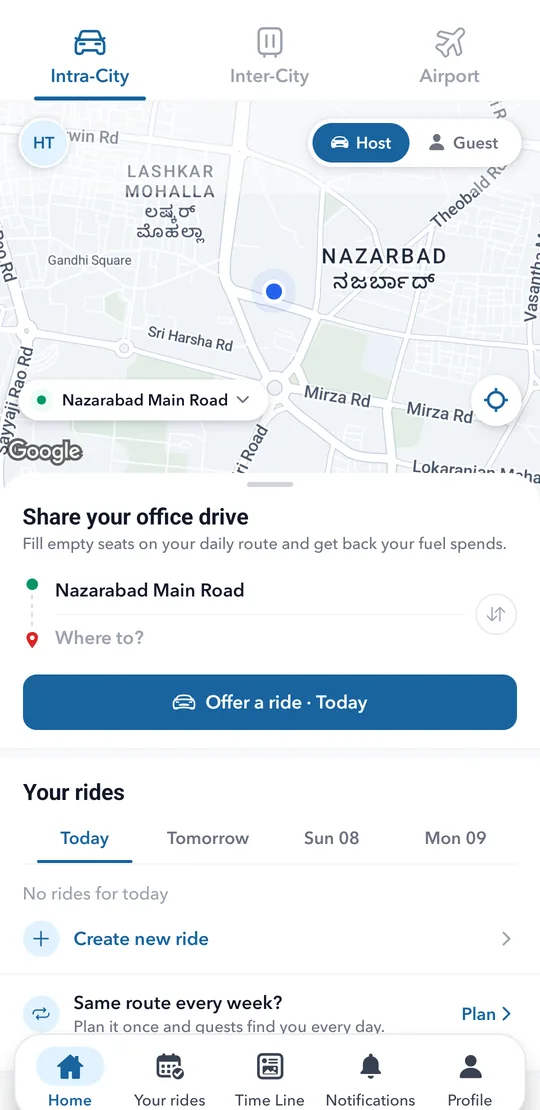
Intra-City tab: share your office drive, pick a destination and see your rides for today, tomorrow and the days ahead
1Office commuteShare your daily drive or find a host on your way. Your rides for the week, in one place.
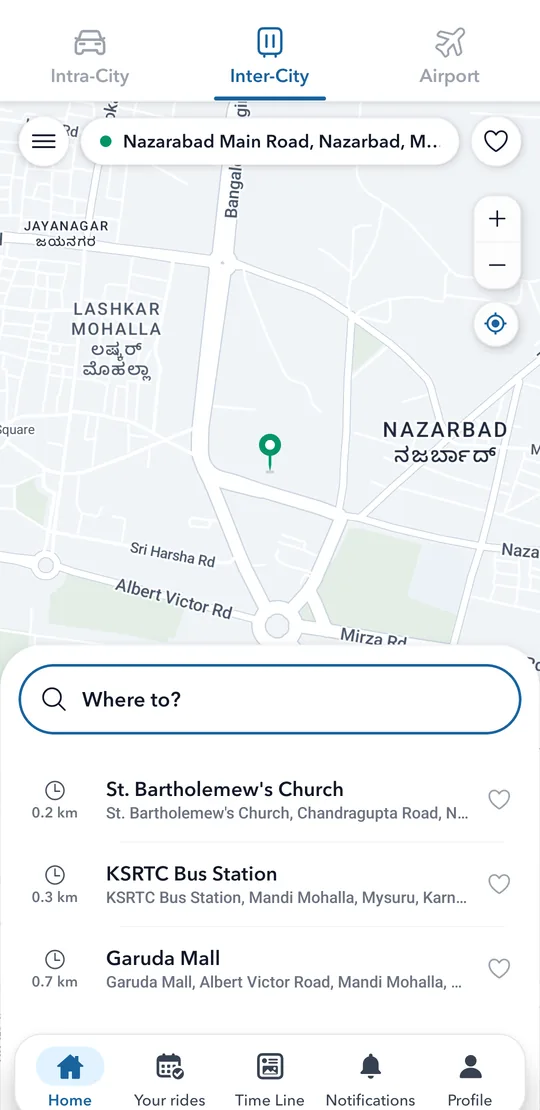
Inter-City tab: map with your location and a Where to? search with nearby places
2City to cityType where you're heading and book a seat with a host already making the trip.
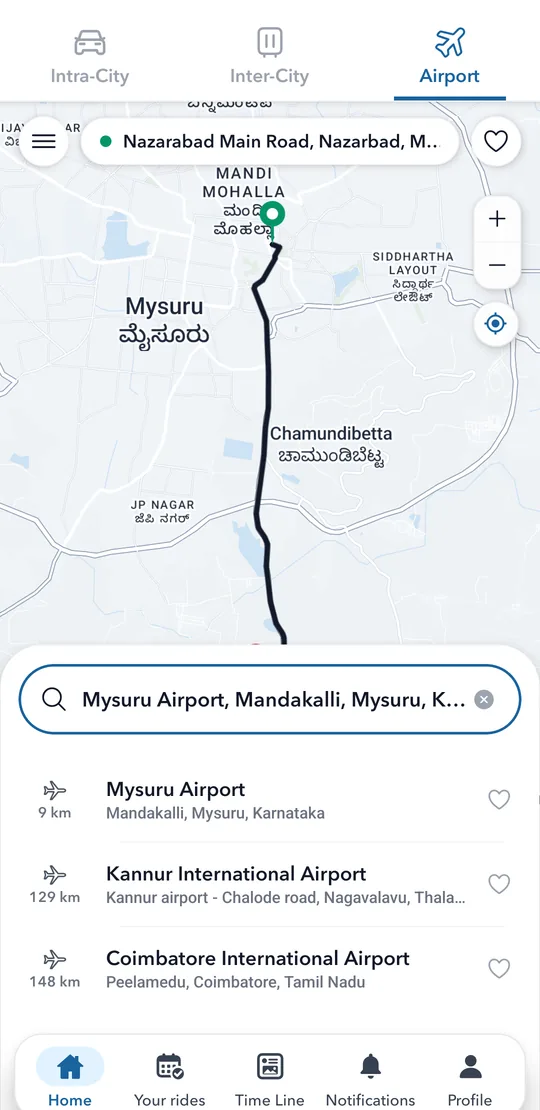
Airport tab: route to the nearest airport with a list of airports by distance
3Airport runsThe nearest airports are suggested by distance, with the route drawn for you.
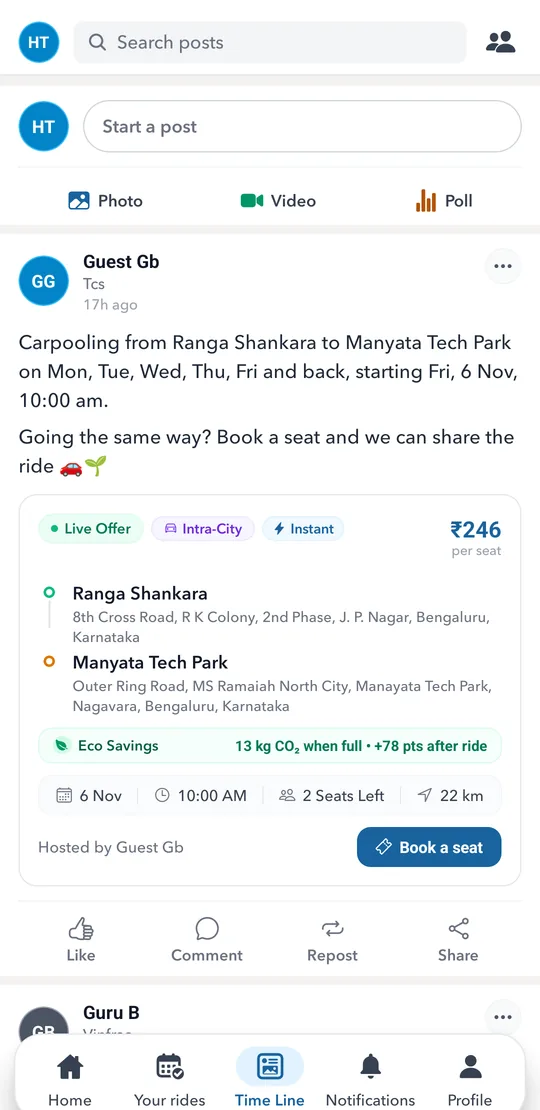
Timeline: a live ride offer post with route, price per seat, CO₂ savings and a Book a seat button
4Community timelineHosts share live offers — book a seat straight from the post.
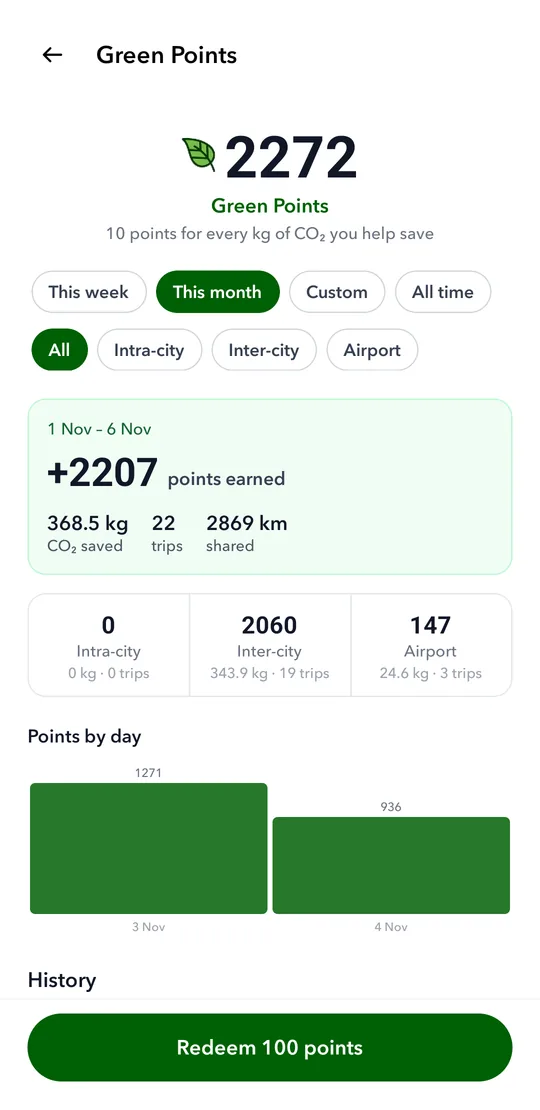
Green Points: total points, CO₂ saved, trips and kilometres shared, split by ride type with a daily chart
5Green PointsEvery shared kilometre turns into points. Track them by week, month or ride type.

How it works

Ride as a guest, or host your empty seats

  1. 1

    Tell us where & when

    Start point, destination, day and time — or a weekly plan for your office commute.

  2. 2

    Pick a host on your way

    See the pickup point, walking distance, ride distance and seat price before you book.

  3. 3

    Board with your code

    Share your boarding code at pickup. Your host is verified, and you can follow the trip live.

  4. 4

    Ride & earn

    Pay your share and collect Green Points for every kilo of CO₂ the shared ride saved.

CO₂ & Green Points

Every shared seat counts — literally

For each trip, RidePal measures the CO₂ your car-pool avoided and turns it into Green Points: 10 points per kilo. The host earns 60%, guests share the rest.

CO₂ saved = distance × 0.18 kg × (people − 1) × (people ÷ seats)

Save Mother EarthOne shared seat at a time — less smoke, cleaner air, greener cities.
  • 1 carinstead of 4 on the road
  • 0.18 kgCO₂ avoided per km, per shared seat
  • 10 ptsGreen Points for every kilo saved

See what your commute saves

0kg CO₂ saved a week
0kg CO₂ saved a year
0Green Points a year

Safety & trust

Built so you know who you're riding with

🪪

Verified people

Phone verified for everyone; company email for office commutes, so you ride with real colleagues.

🔐

Boarding code

Hosts confirm every guest with a one-time code at pickup — nobody boards the wrong car.

📍

Live tracking

Guests follow the host to the pickup and through the trip, in real time.

⭐

Ratings & reviews

After every ride, hosts and guests rate each other. Profiles show the history.

👩

Women-only rides

Women hosts can offer rides only to women guests.

🤝

Reliable plans

Cancellations need a reason and late ones are recorded, so plans you make are plans that happen.

Your next ride is already going your way

Download RidePal, plan your commute and start sharing today.

FAQ

Questions, answered

How is the fare decided?

The app suggests a fair fare per seat from the distance, so hosts share their running costs rather than run a taxi. Guests on part of a route pay for the stretch they ride.

What are Green Points?

For every kilo of CO₂ a shared ride saves, RidePal awards 10 Green Points — 60% to the host, the rest shared by guests per seat. You can see your points by week, month or any date range on your profile.

Do I need a company email?

Only for intra-city office commutes, so you ride with verified colleagues. Inter-city and airport rides need any verified email.

What if I'm not travelling some days?

Pause just those days from your commute page. Your planned rides come back by themselves the day after — no need to plan again.

How do hosts know who's coming?

Each ride on the host's commute page lists booked guests with their pickup points, plus any waiting requests with Accept and Decline.

Is my trip tracked?

Once the host starts the ride, guests can follow the car live to the pickup and all the way to the drop.